Instruction for group registration
Please follow the instructions below for group registration:
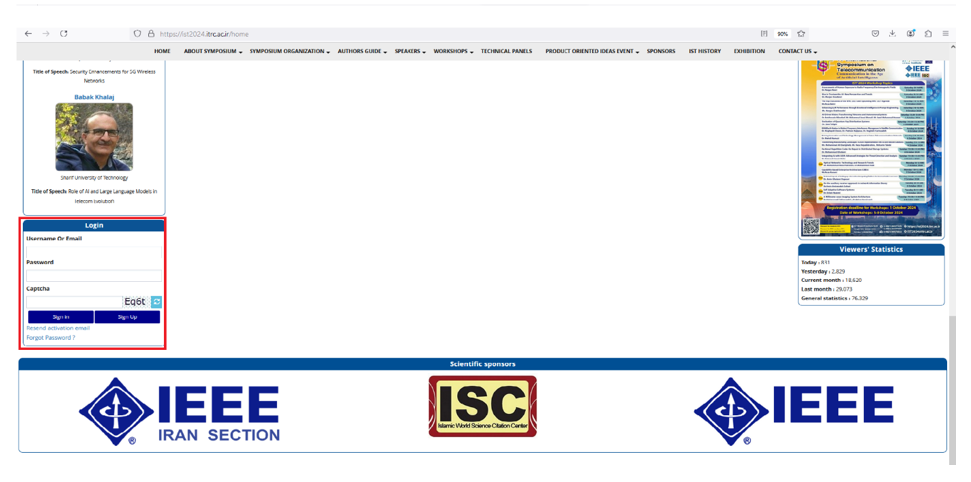
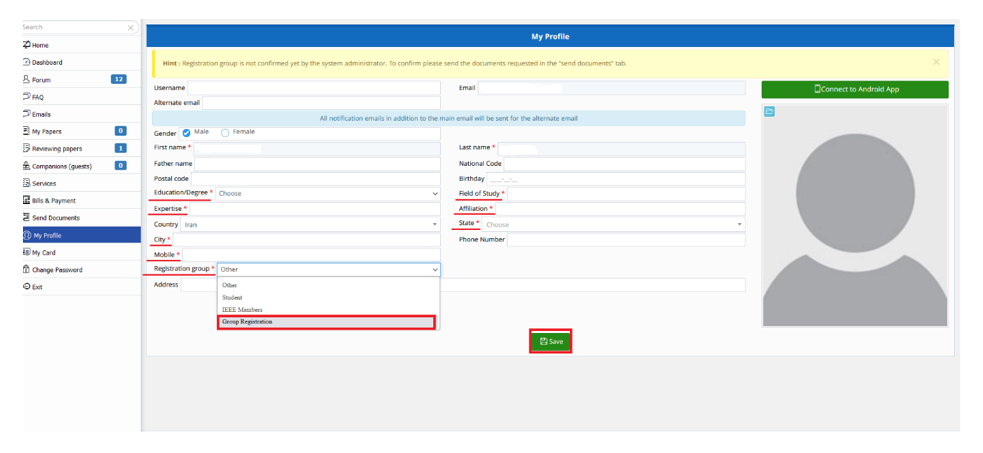
1. You must sign up in IST'2024 website and select "group registration". You can go to Registration Guideline in case of need for help.
2- Go to the “send documents” menu and upload your organization letter in your main panel.
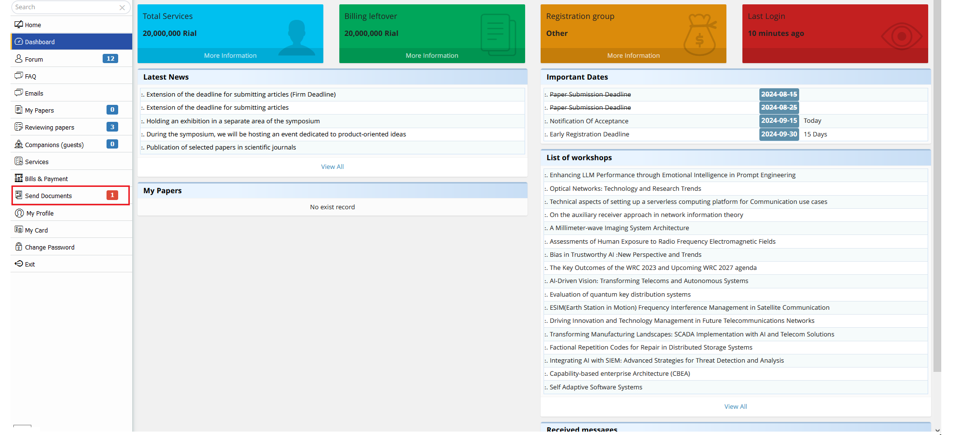
3- Click “choose file” and upload your letter file in PDF or Image format.
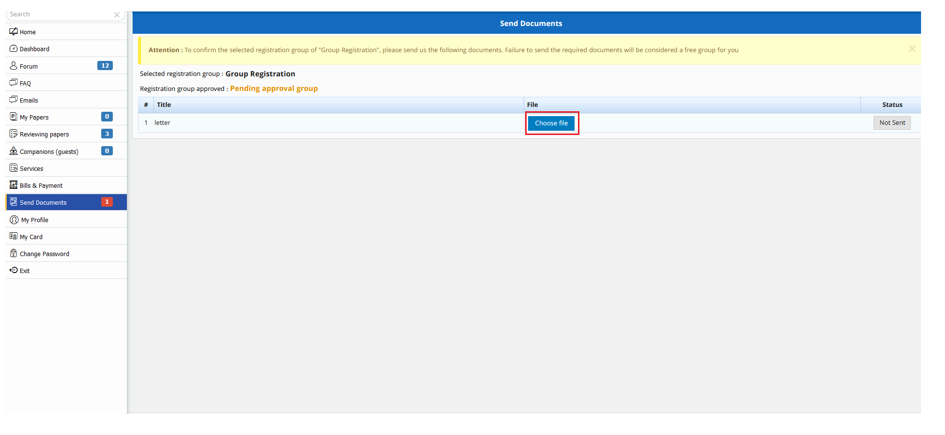
4. Please wait for your letter to be verified by the website administrator.
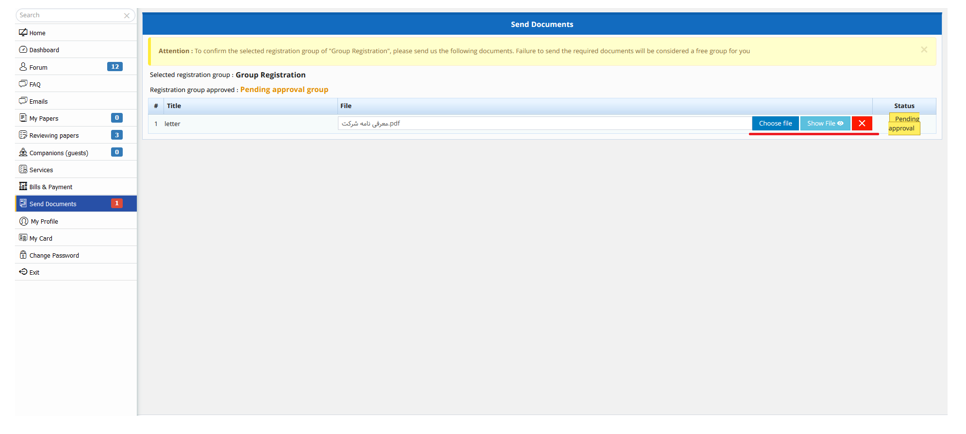
5. After the website administrators approve your documents,you can see the below page.
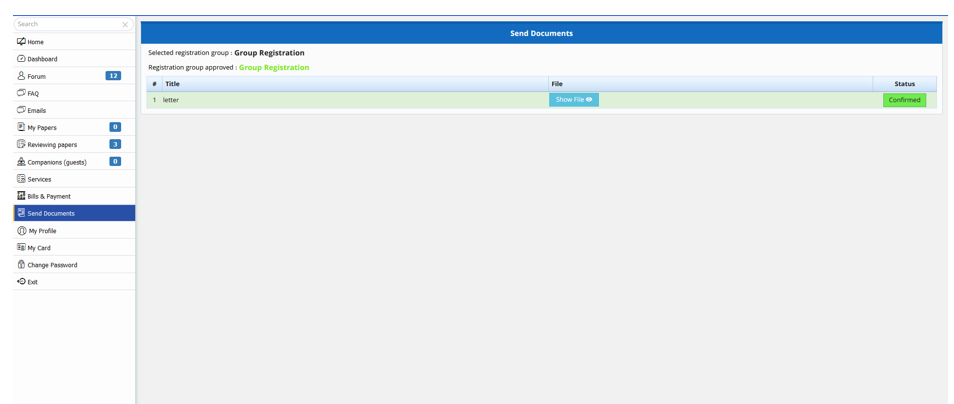
6. After verification, you must click on the "companions (guests)" and enter the requested information of your companions.
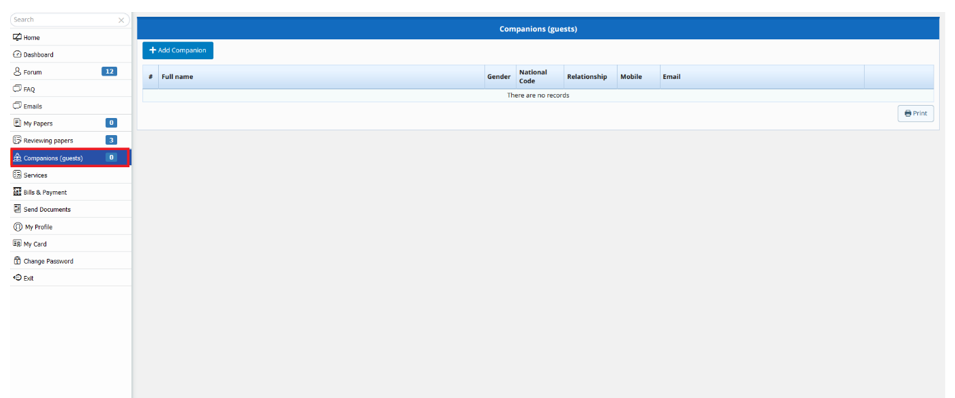
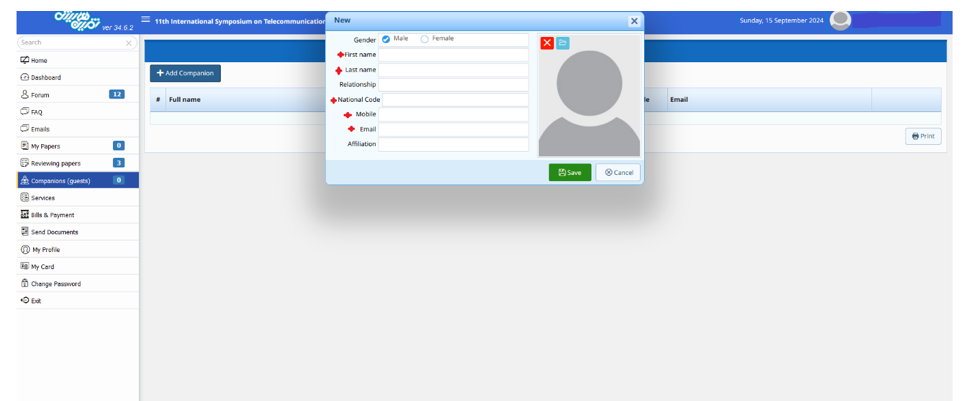
7. A pop-up will be opened when you click on "Add Companion”.
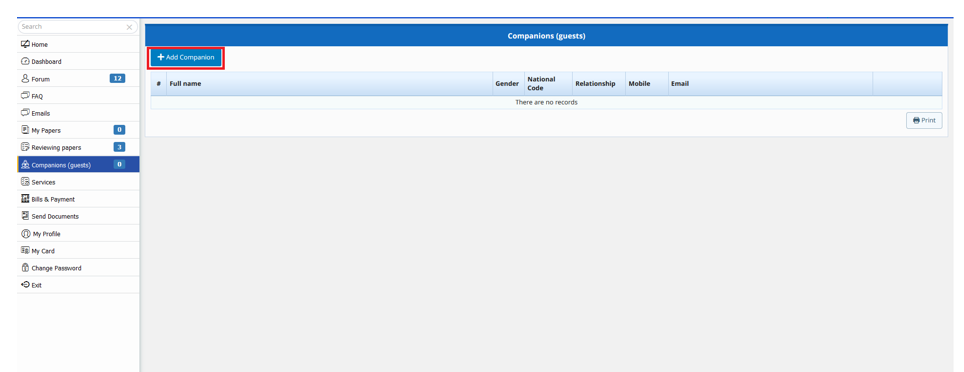
8. Enter the requested information. Note that national code number and mobile number are mandatory fields, if anybody wants to participate in a workshop.
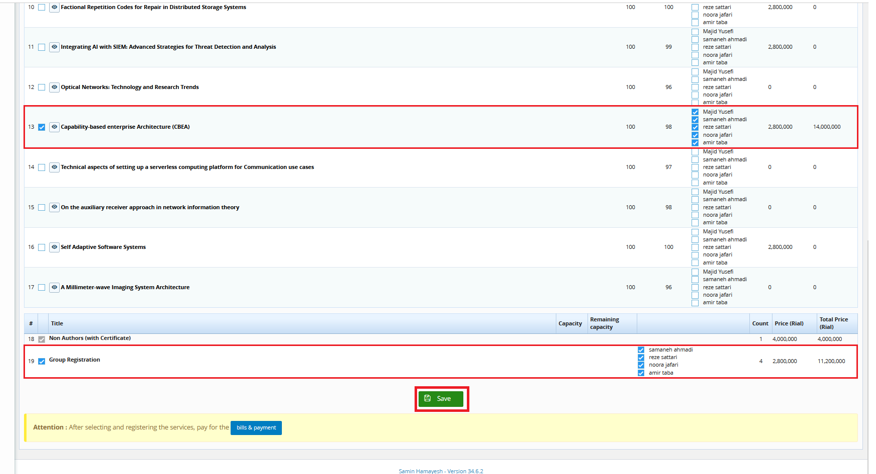
9. Aafter adding information of your companions, click on the "Services" menu on the left side.
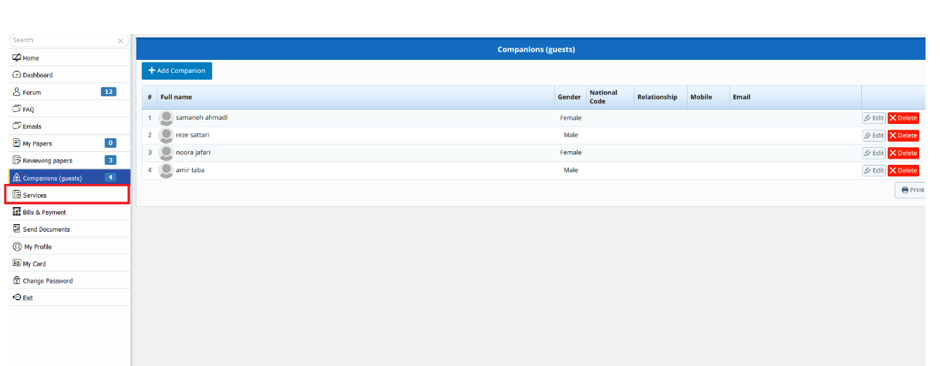
10. You can see your companions and services list, there. Select each companion and click on his/her favorite workshops. Then save it.