


Please follow the instructions below to register for the symposium's side workshops:
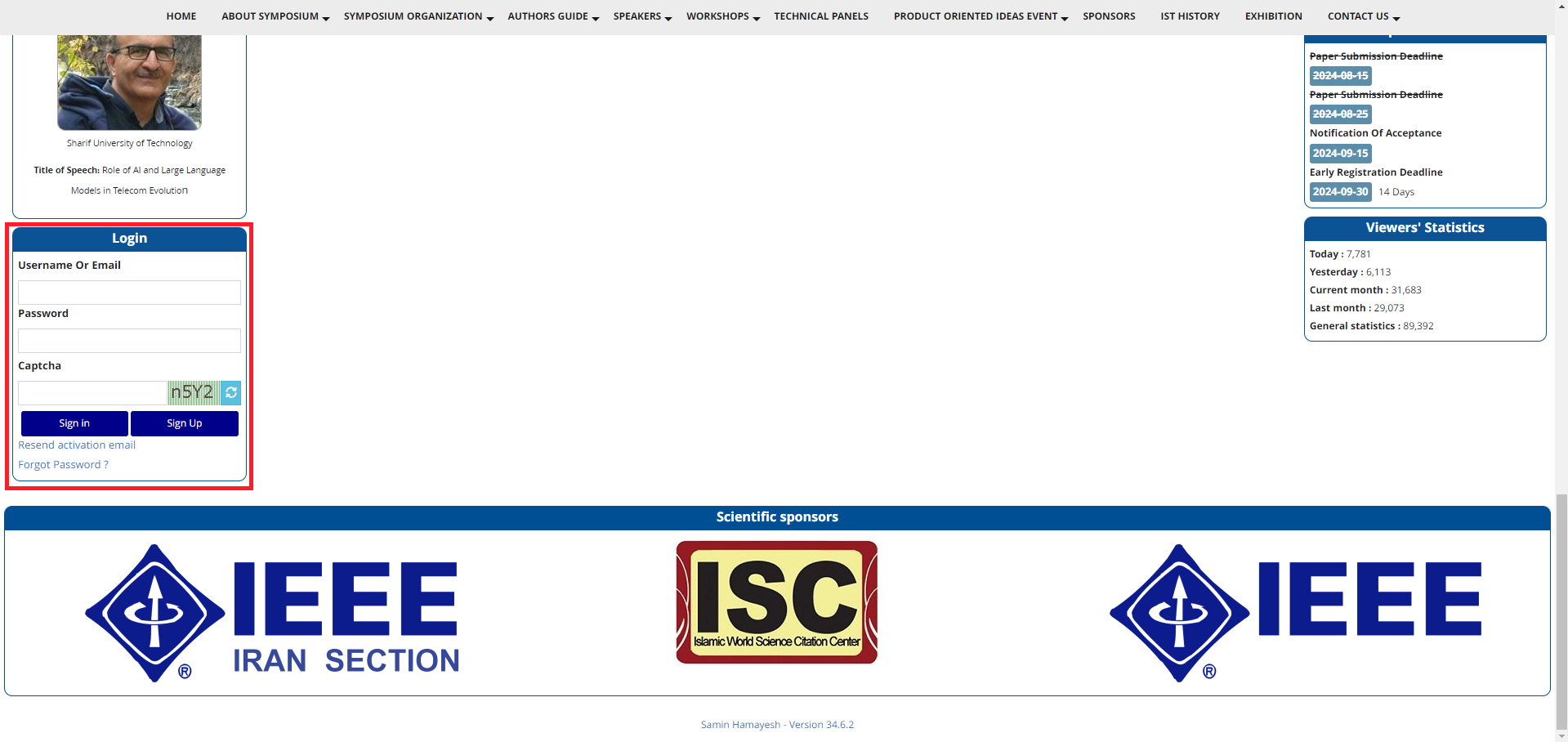
1. First, login into your user panel using your username and password. If you had any problem signing in, please go to the "Registration Guideline" page in the "Authors Guide" menu.
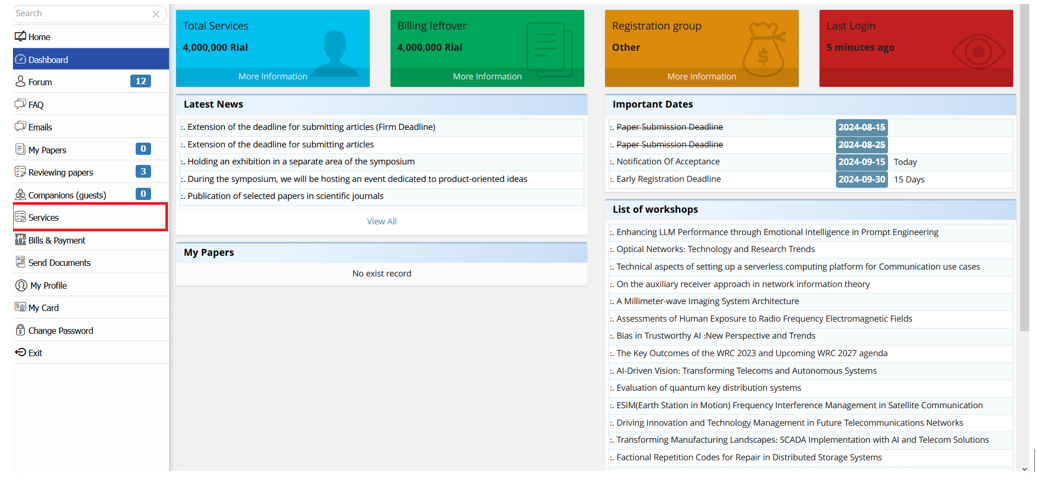
 2. In the main panel, click on the "Services" menu on the left side. Note that For group registration, first refer to the "Group registration guideline".
3. In this section, you can view the titles of all workshops and select your desired workshop. At the bottom of the page, you can also select “Non authors (with certificate)” menu to attend two days IST’2024 symposium.
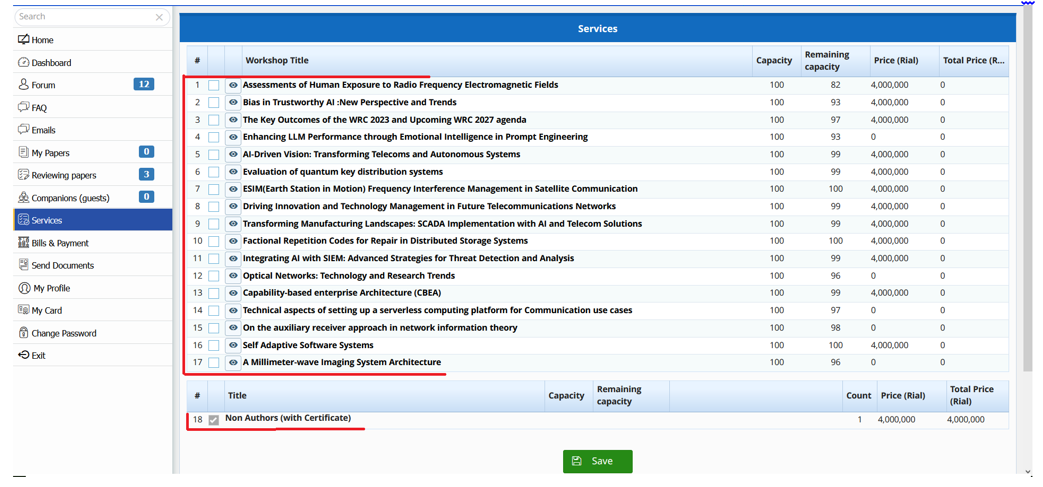
4. After selecting your desired workshops, click on the "Save" button.
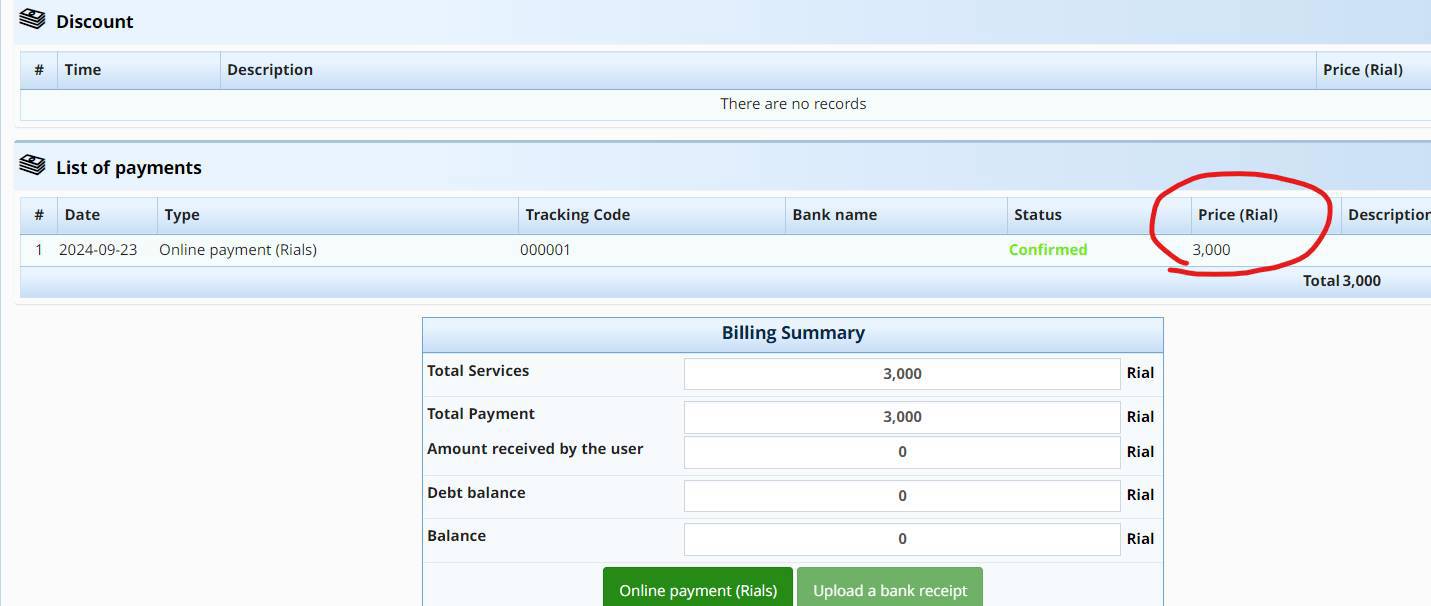
5. After registering for the requested services, you can view the total amount for the services in the "Bill and Payment" section.
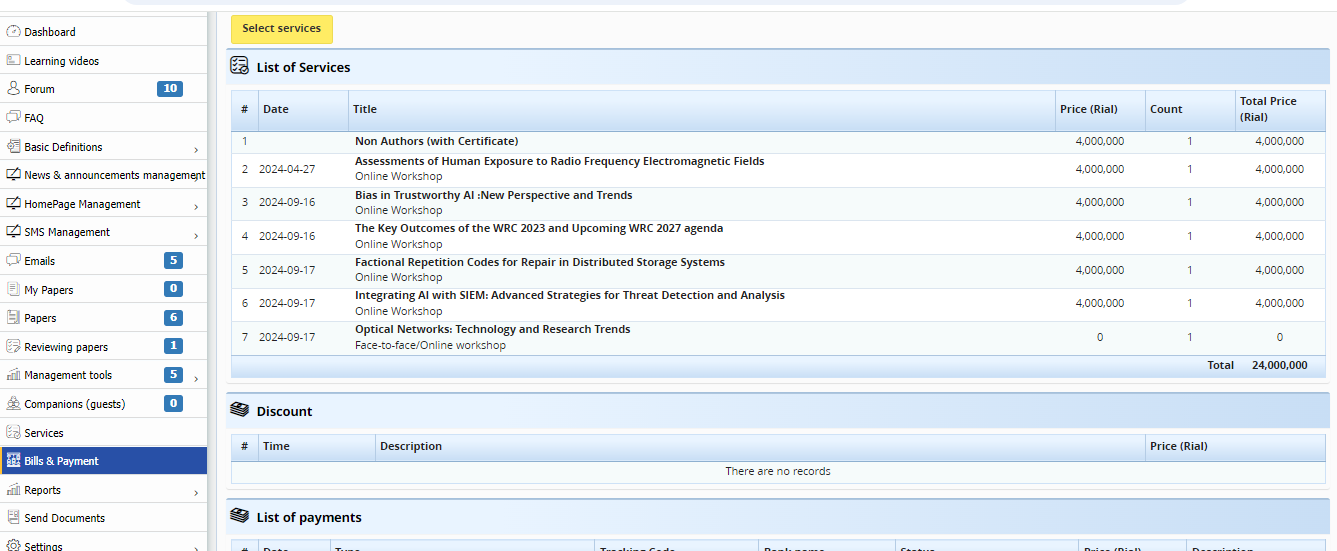
6. On the Bill and payment page, you can see a summary of your selected services list and the total cost of the selected services. If you wish to change your selected services, you can choose the services section from the left menu and modify your selection. (Return to step 2)
7. At the bottom of the page, there is an invoice summary that the user can view. After reviewing the invoice summary, click on "Upload a bank receipt" to open a pop-up window.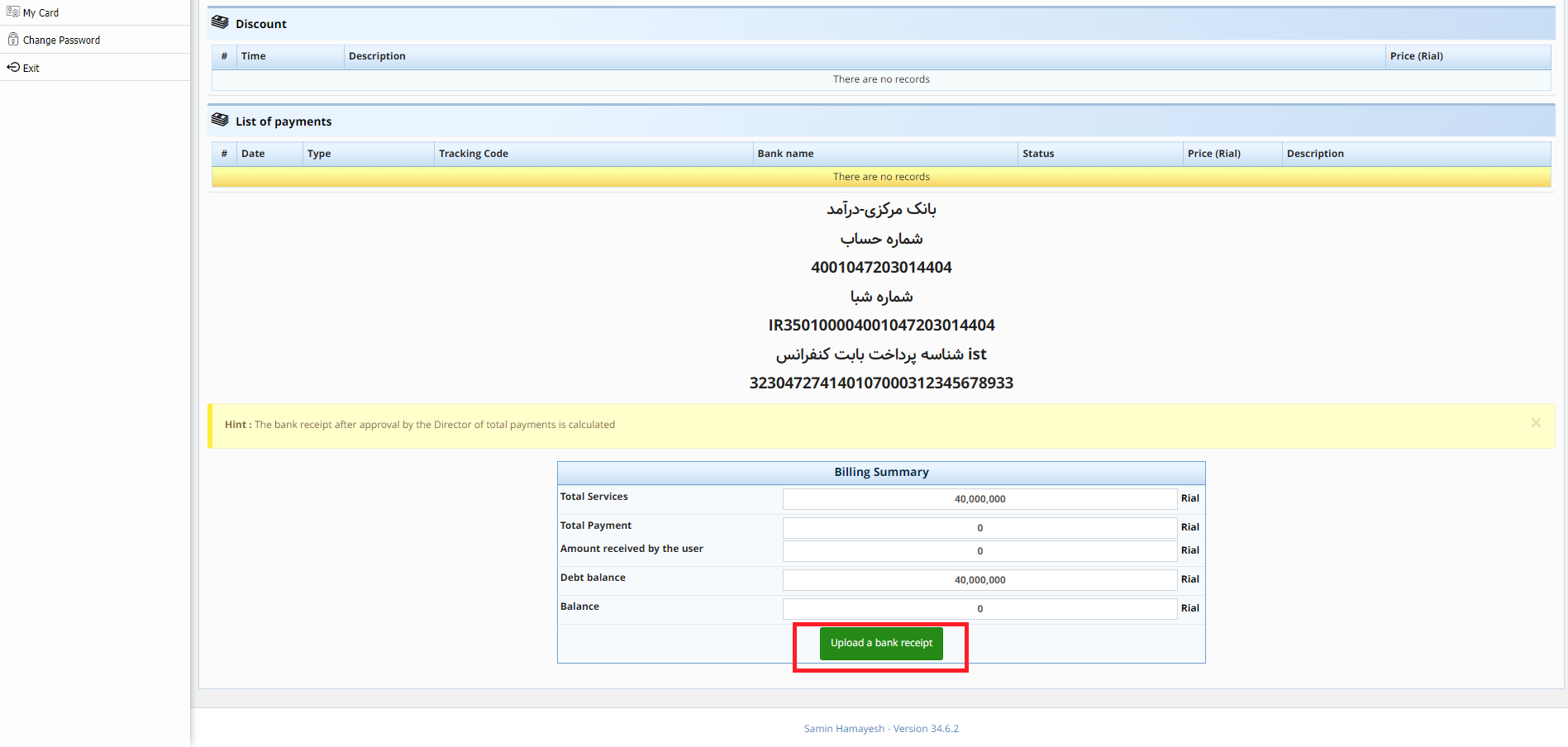 8. Here, you need to transfer the total amount for the services to the provided account number.
9. After transferring the specified amount in the invoice summary, manually enter the paid amount, payment tracking code, and the name of the source bank in the created pop-up. Then, upload the image of the payment receipt using the "Choose file" button. Finally, click on the "Save" button.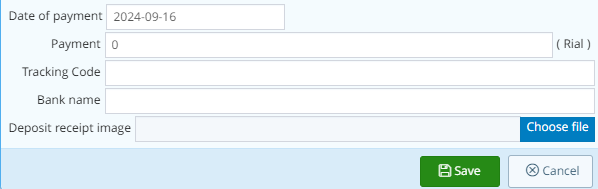
10. After the website administrators approve your payment receipt, your payment information will be displayed in the "Payment List".
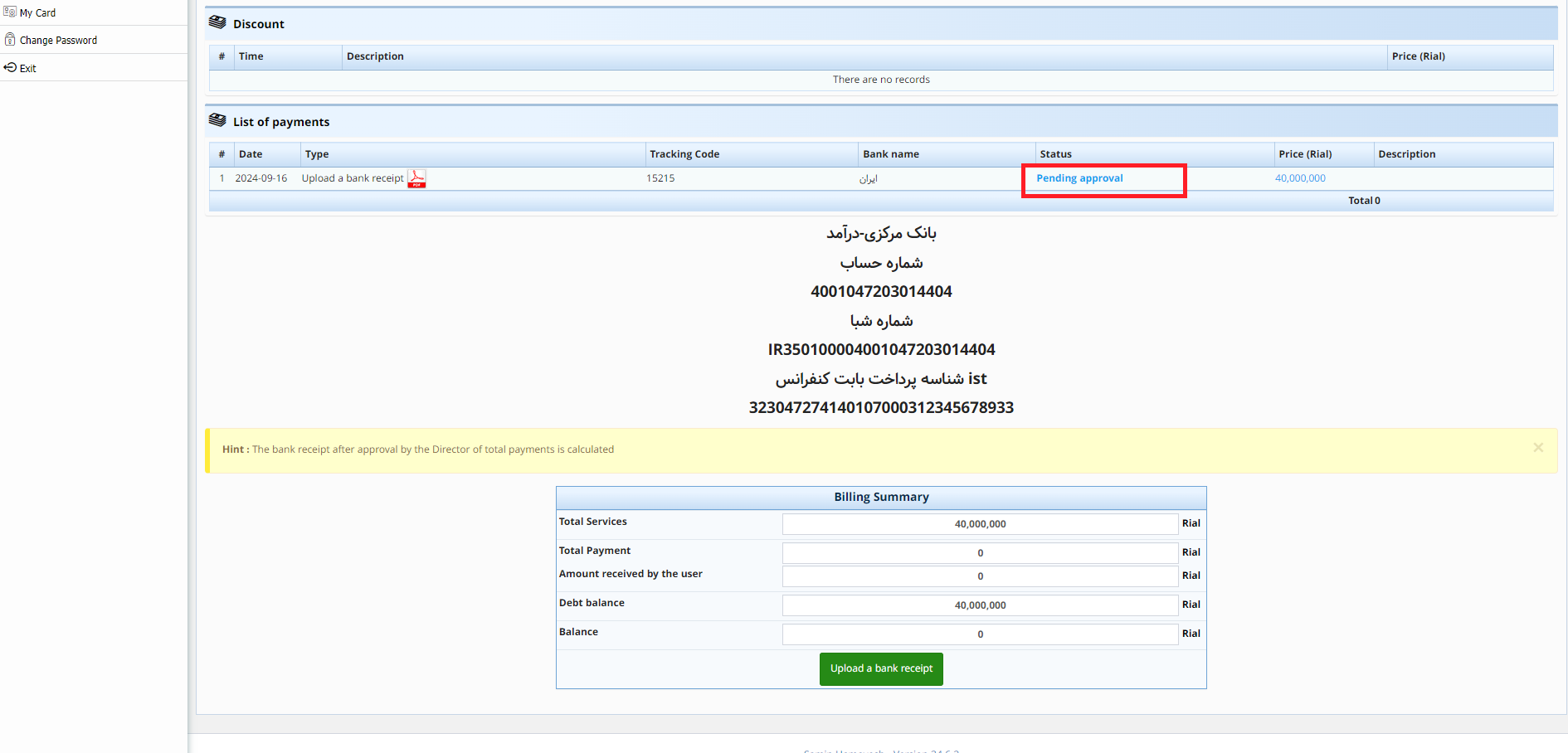
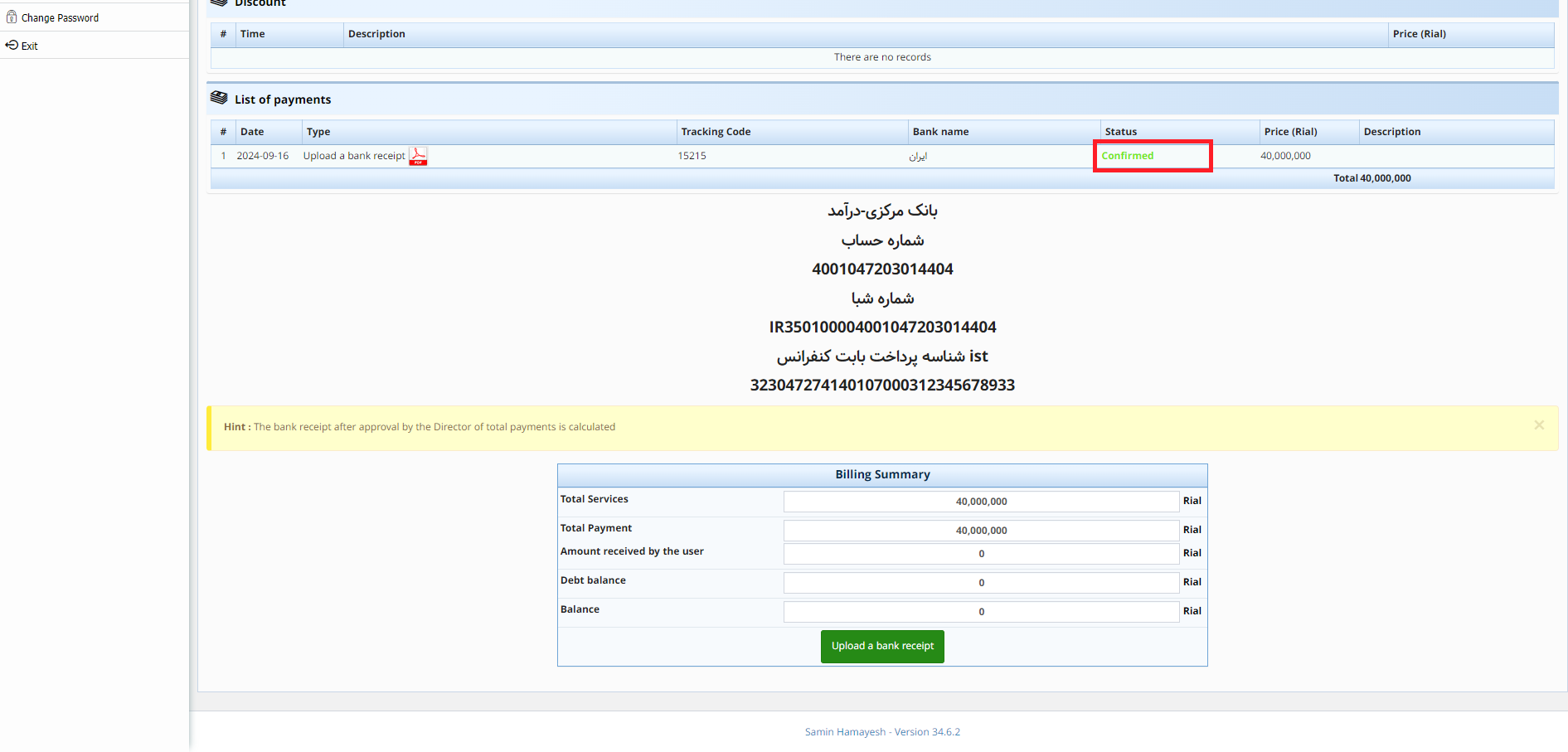
11. Also, in addition to offline payment, online payment has also been activated on the site.
Note:
If you encounter any issues during the payment process or while submitting the payment receipt, you can contact the symposium secretariat.
